Hey there! Grab a seat — we'll cost out every scheduling tool feature, from diary to deposits. 🔔
| Quick answer: booking tools are priced by what they juggle — staff, rooms, deposits, reminders; every extra rule adds build time, and build time is the bill. |
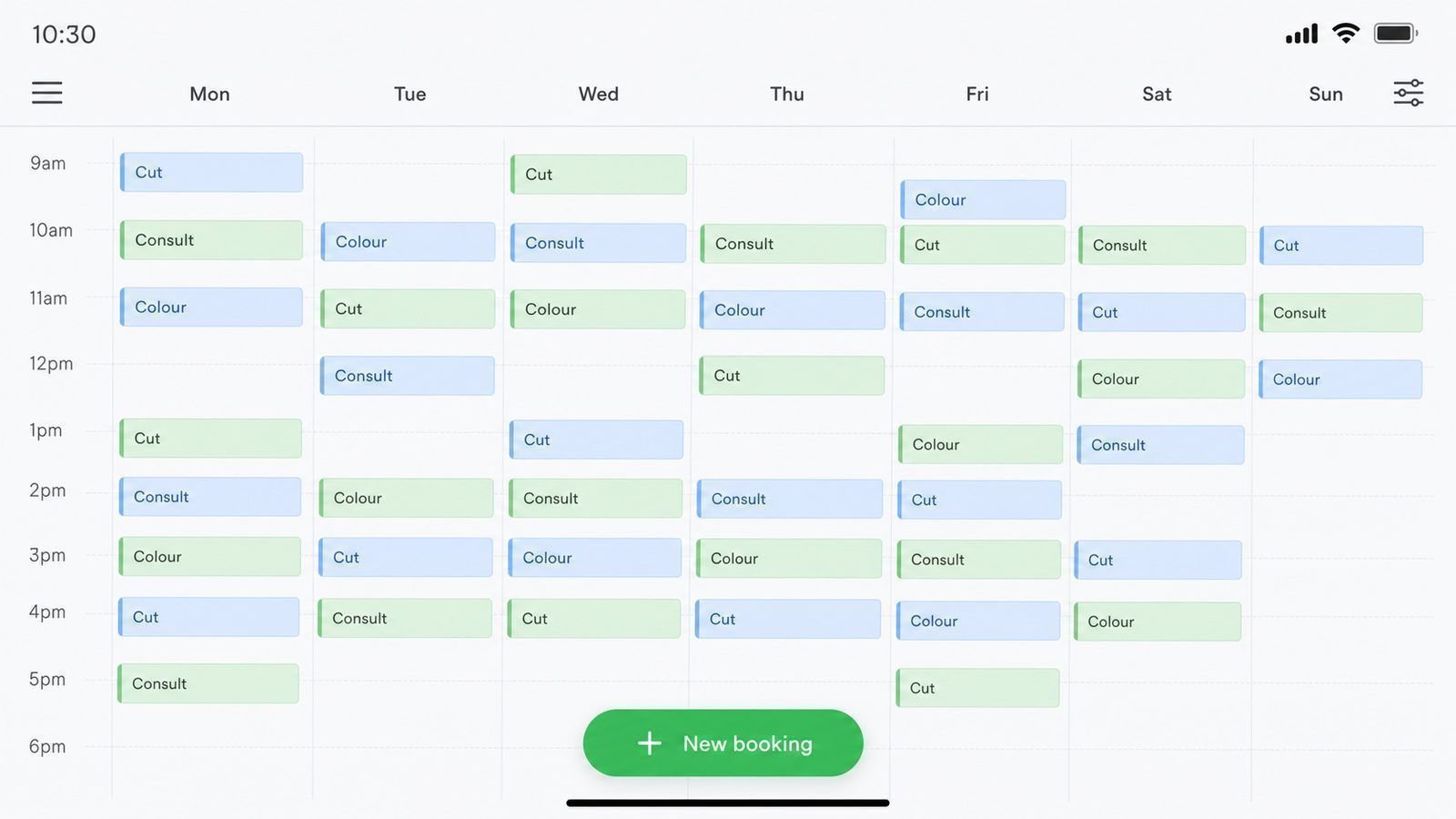
A booking app looks like the simplest product in software, right up to the moment two customers try to book the same slot 📅. That single sentence — the same slot — is where the price lives, because everything else (screens, reminders, payments) is decoration around a calendar that must never lie.
What Brands the Core Price
| Layer | What it includes | Share of build |
|---|---|---|
| Calendar and availability | Staff, services, durations, buffers | Largest single cost |
| Reminders | Messages before the appointment | Small, saves no-shows |
| Deposits and payments | Card payments, refunds, no-show rules | The second big cost |
| Client records | History, notes, repeats | Cheap — high value |
Realistic Bands ⏰
A single-staff diary with reminders sits around the entry level of the booking range. Multi-staff, multi-location, deposit-taking systems climb quickly because every rule multiplies across every person and place. The cheapest booking products are masterclasses in saying no to features — which is exactly the discipline your first version needs.
Add-Ons That Multiply 💳
- Payments and deposits: refunds, disputes and reconciliation arrive with them
- Staff views: a second app’s worth of screens and permissions
- Waitlists: someone must be told the moment a slot frees up
- Reports: every number you request becomes new logic
When You Do Not Need an App 💡
If you take fewer than about ten bookings a day, a smart calendar link plus a payment request does the job for a fraction of the cost. Build the app when the manual version is visibly costing you bookings — not before.
What Salons, Clinics and Lodges Ask Us Most
The questions repeat across industries. Can clients reschedule themselves? Usually yes, with a cutoff window. Can deposits be required for certain services? Yes, and it removes most no-shows in high-demand slots. Can staff see only their own diaries? Yes, with the right permission design, and it should be decided before build, not after.
The one that matters most is cancellation policy. Whatever you do in the real world — 24 hours notice, deposit forfeited, first-time clients confirmed by hand — the software has to express the same rule. When the rule and the software disagree, the front desk loses the argument with every customer who learnt the loophole.
The Manual Version That Costs Nothing
If bookings arrive slowly, run the manual system deliberately for a month and write down every step: what you ask, what you send back, how you remind, what you do when someone cancels late. That document is your specification. It costs nothing, and it is exactly what a developer needs — which shortens the build and reduces the guesswork you pay for.
It also tells you the truth about volume. Under ten bookings a day, a shared calendar and disciplined reminders can hold for a long time. Past that, the coordination itself starts costing you bookings, and the app has earned its price.
What Actually Drives a Booking App Price
Five things, and only one of them is how the screens look. How many services are bookable, how many staff members can be scheduled, whether deposits must be taken online, whether reminders are sent automatically, and how many locations share the diary. Each adds logic, testing and admin screens — which is where the hours go.
Most businesses over-scope on the last two. Reminders can start as manual messages and become automatic later; multi-location support can wait until a second branch is real. Building for the business you have, with one deliberate notch of room to grow, keeps the first version buildable in weeks rather than quarters.
Five Questions for Any Booking Build
| Question | Why it changes the price |
|---|---|
| How many staff share the diary? | Each adds permissions and conflict rules |
| How many services? | Drives durations, buffers and pricing logic |
| Deposits required? | Adds a payment gateway and refund rules |
| Reminders automated? | Adds messaging integration and delivery cost |
| More than one location? | Turns a diary into a scheduling system |
Answer these five and any developer can quote you properly in a day. Leave them open and you will receive three quotes that describe three different products.
When to Upgrade the App
You will know it is time to add features when the workarounds start costing more than the upgrade. Three signals, in order. Double bookings appear because two staff members still keep their own side diaries. Customers start phoning to confirm what the app already told them. And someone on the team spends a morning a week reconciling the app against a spreadsheet.
Any one of those is a feature request worth costing. None of them is worth guessing about in advance — which is why the first release should be deliberately small. Build the diary, the confirmations and the reminders. Add deposits, waitlists and multi-location support when the manual workaround announces itself, with a date and a price attached.
Frequently Asked Questions
How long does a booking app take?
Six to ten weeks for a focused single-location product. Multi-staff and multi-location builds run longer.
Can it connect to my existing calendar?
Often, depending on the provider’s access rules. Confirm this in planning, not after launch.
What kills booking apps?
Wrong availability rules and forgotten reminders. Build both properly before adding anything pretty.
Will the app work with my current website?
It should. Most builds add a booking button to the existing site and keep the marketing pages where they are. Confirm the integration points during planning so nobody promises what the platform cannot do.
What about clients who cannot use apps?
Phone bookings stay. The app removes the unavoidable admin, not the personal service — and your regular clients will simply be pleased their slot is confirmed instantly.
Stop guessing what your app will cost. See how apps are priced, phase by phaseGet my free app quotation |